


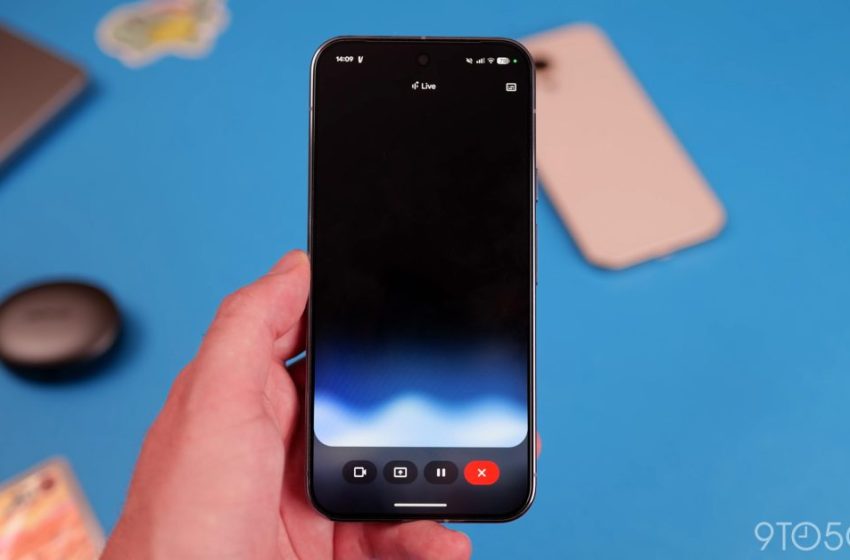
Gemini Live rolling out floating pill redesign on Android
Since launch, Gemini Live has primarily been a fullscreen experience, but Google is now rolling out a floating pill redesign on Android.
At the moment, exiting the fullscreen Gemini Live interface gives you a pill-shaped indicator in the status bar that makes use of Android’s existing phone controls.
This redesign gives Live a floating pill that visually matches the Gemini overlay for text prompts. It can be accessed in two ways:
- Activate the Gemini overlay and tap the Live icon at the right
- Open the Gemini app, launch the fullscreen Gemini Live UI, and exit to your homescreen
This pill lets you start sharing your camera or screen, mute the microphone, and end Live. If you haven’t started a conversation yet, the keyboard lets you switch to the Gemini overlay. Otherwise, it stops Live and opens the text transcript.
The container features the Gemini Live waveform in the background, while the text transcription appears above. You can turn those on/off from the top-right corner.
If you do something else on your phone, the pill collapses into a circle that you can move around the screen. Tap to expand or swipe down to close (like a chathead).
This redesign retains the fullscreen interface (just open the Gemini app again), while video sharing uses the full UI.
As of today, we’re only seeing this rolled out on one of our devices. However, it’s appearing with the stable version (17.3) of the Google app. We’re due for a big Gemini Live model update, and this interface likely accompanies it.
The floating circle could particularly be used during computer use interactions. Google’s previous demo showed a similar interface for Project Astra.


FTC: We use income earning auto affiliate links. More.

First Appeared on
Source link






