


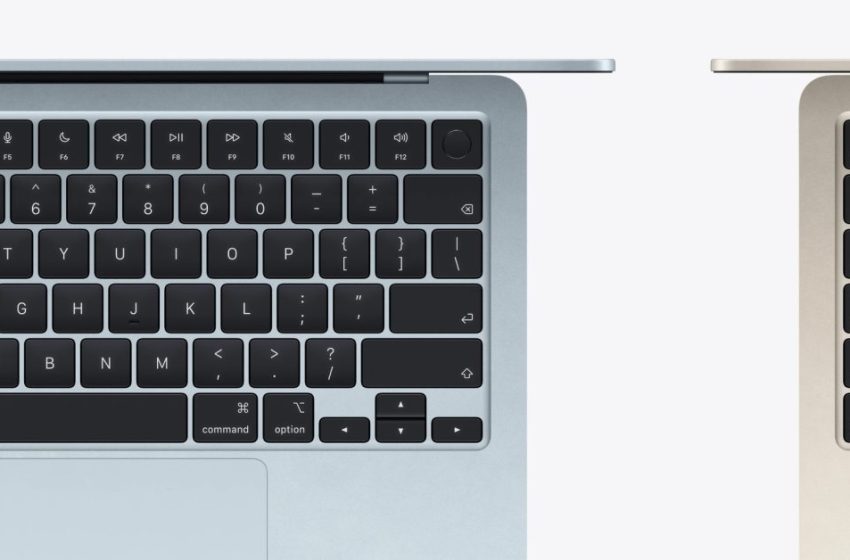
Apple’s new MacBooks have keyboard change you might notice instantly
Apple’s new M5 MacBook Air and M5 MacBook Pro models are pretty light on new features beyond the chips. But it turns out, both MacBooks also change the keyboard to remove text labels in favor of glyphs.
Apple’s new MacBooks drop text labels on several common keys, including tab, caps lock, and more
Three new MacBooks arrive in users’ hands this week, but outside of the MacBook Neo, Apple’s latest products don’t look very new. Neither the M5 MacBook Air nor MacBook Pro with M5 Pro and M5 Max appear different on the outside.
They pack new chips internally, but otherwise the basic design is identical to their predecessors.
Except in one way.
As highlighted by Dan Moren in his MacBook Air review at Six Colors, the new models make a noteworthy change to keyboard labels.
Gone, in this generation (including the new MacBook Pros), are several keys’ text labels: tab, caps lock, return, shift, and delete. In each case, they’ve been replaced by glyphs, of the same kind long used for keyboard shortcuts in drop-down menus.
Here’s a close-up look at the new keyboard glyphs, which can be found on the MacBook Neo as well.
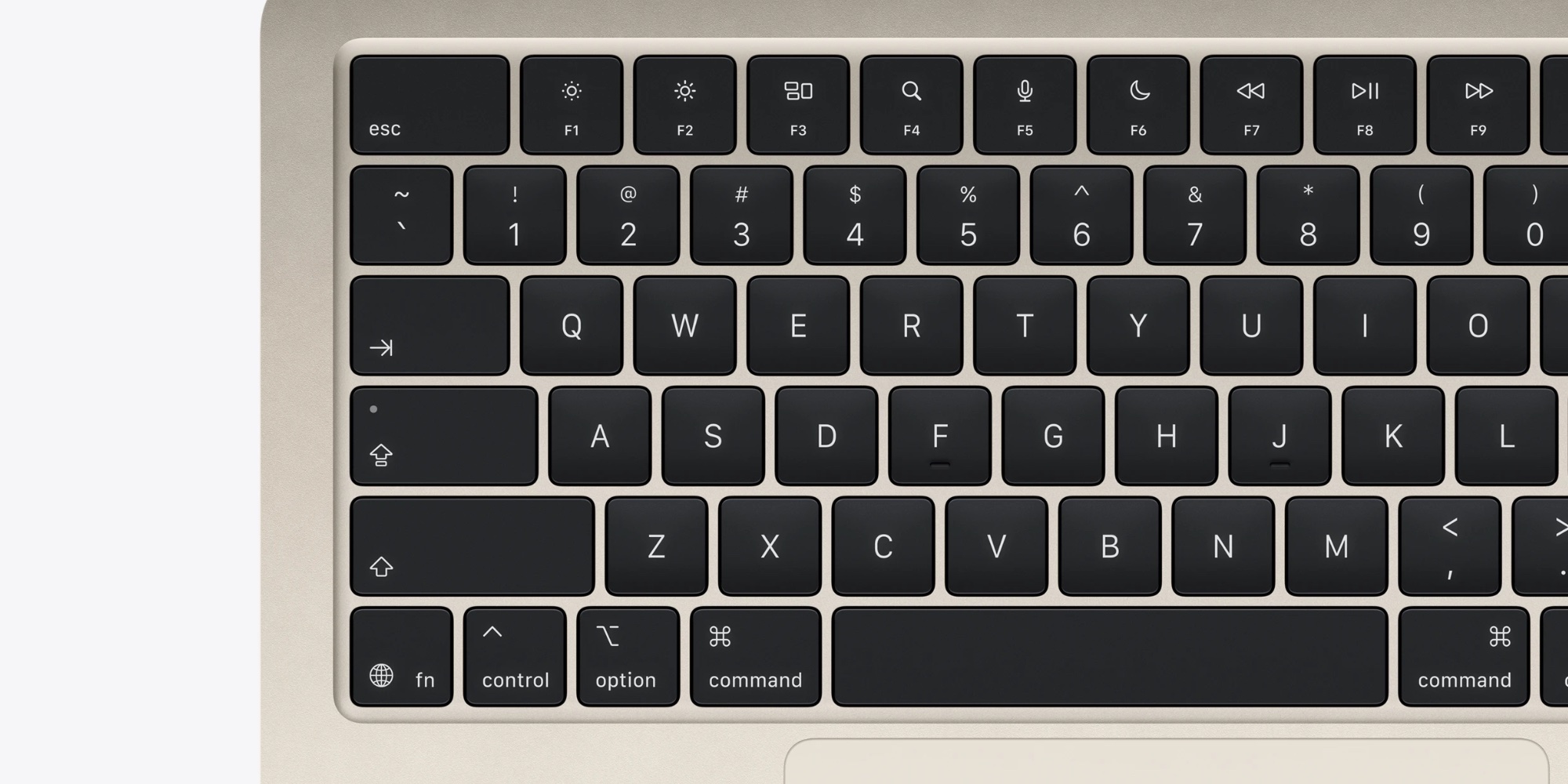
Some readers might be screaming at their device right now: “Those glyphs aren’t new!”
But Moren explains further:
If you’re sitting there thinking “Wait, what do you mean—it’s been that way forever?” then congratulations, you’re probably outside the United States. The U.S. has remained an outlier even as the rest of Apple’s international keyboard layouts use this near universally agreed-upon standard. This standardizes this style across Apple’s laptops (and probably soon its standalone keyboards as well), while also bringing them into line with iOS and iPadOS keyboards, which now use the same symbols (and, in some cases, have for a very long time). Labels are not totally gone, though: the Air’s keyboard still sports text on the function, control, option, and command keyboards, alongside their long-used symbols.
9to5Mac’s Take
Personally, I’m a fan of the text labels on the keyboard. I don’t need them, but they’re nice to have.
Also, dropping them right now seems an odd move. The MacBook Neo is expected to entice a lot of PC switchers, all of whom could benefit from some extra hand-holding in the transition.
But of course, if users around the world have adapted to the glyphs with no trouble, I’m sure US Mac buyers will be just fine too.
What do you think of the keyboard change in the latest MacBooks? Let us know in the comments.
Best Mac accessories

FTC: We use income earning auto affiliate links. More.
First Appeared on
Source link






