


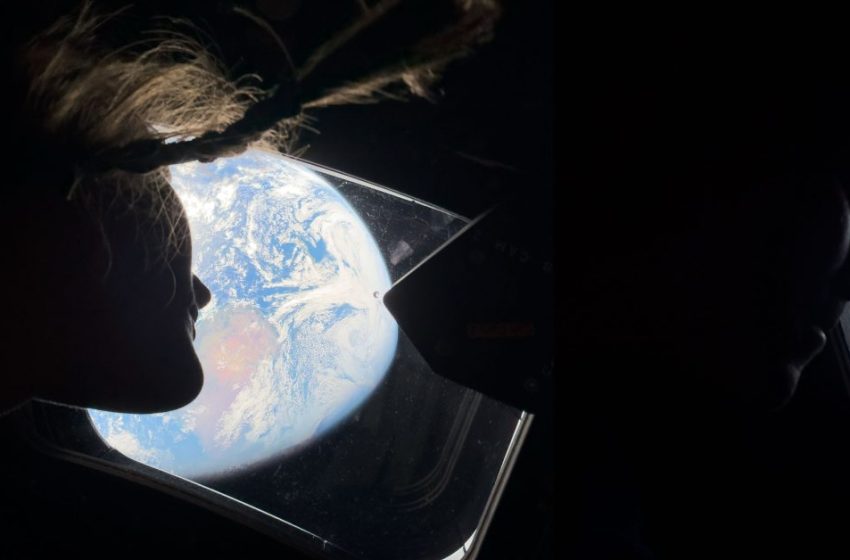
This Shortcut downloads latest Artemis II images from NASA
Update April 7, 2026, 4 p.m. ET: The shortcuts API has been fixed and should work with no issues. Here is the link: Artemis II image shortcut
You might have seen in the news recently that for the first time in over 50 years, we have sent humans to circle the moon. On April 1st, NASA launched Artemis II with four astronauts on a test mission to orbit the moon and prepare for a later mission to land on the moon. We have already reached the far side of the moon and seen some amazing imagery from Artemis II. Some of the shots have even been taken on an iPhone! NASA has been sharing some latest images on their Flickr page for us to see, and someone even created a shortcut so you can pull these images directly to your device. Here is how!
Artemis II image download shortcut
Fellow Apple enthusiast and channel friend Stephen Robles is known as a Shortcuts master. He has built his brand and a strong following, teaching people just how powerful the shortcuts app is on their Apple devices. So when I saw his tweet, I knew I had to give it a try.
Setup is extremely simple. All you have to do is tap Stephen’s shortcut link in his tweet or tap here. You are then taken to an iCloud page, and just tap “get shortcut” at the bottom. This will then open your shortcuts app and add the Artemis II Images shortcut to your library. To run the shortcut:
- Tap on the “Artemis II Images” shortcut
- Let it load (it will take a solid minute as it gathers the images)
- A small pop-up will come up with all the images
- Tap on the ones you want
- Tap select
- Then they appear in your photo library
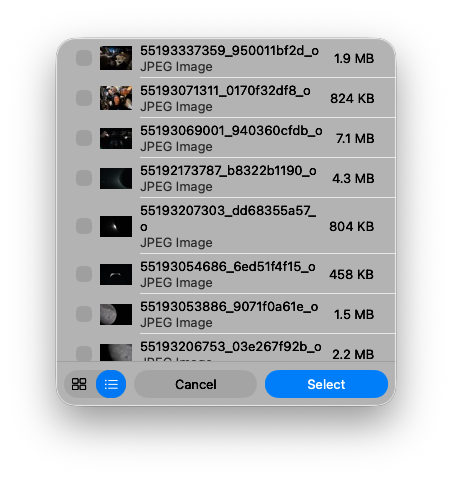
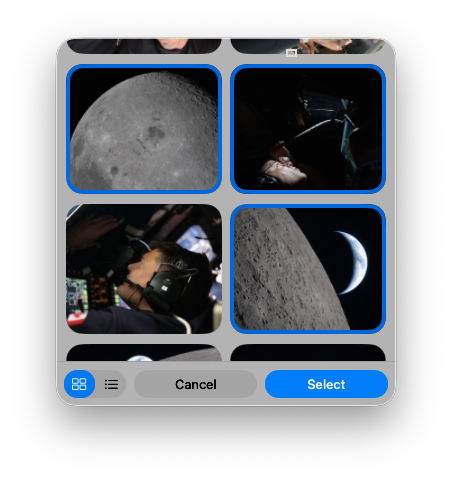
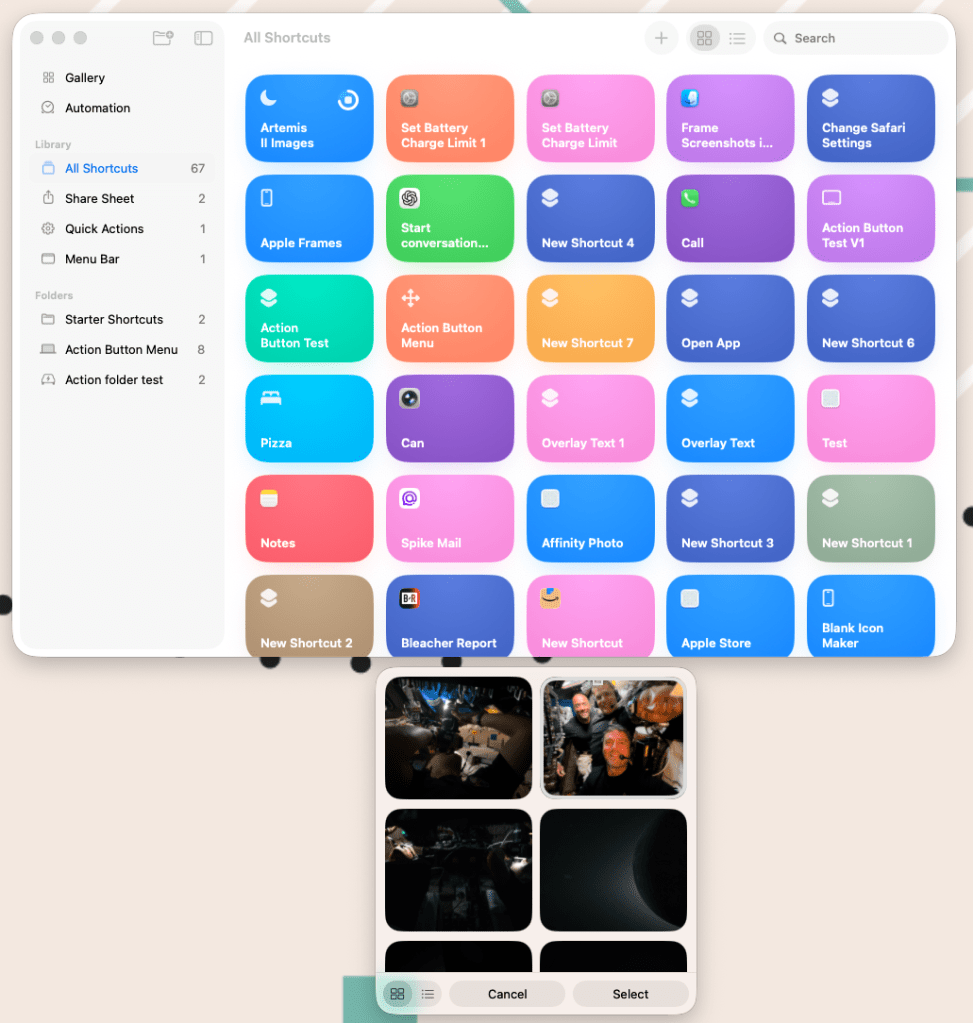
As I said, it takes a minute to populate, so just leave it running in the background, and then it will give you that small pop-up window. You can even select if you want a list view or an image view. Once you have the photos you want, they are saved to your photo library.
I tested this on my Mac, but it should work on your iPad and your iPhone the same way. If you want a quick way to get some of these awesome images on your iPhone, this is a fun and clever way to get it done!
Also, be sure to check out our interview with Stephen from a few weeks back!
Best Apple Deals


FTC: We use income earning auto affiliate links. More.

First Appeared on
Source link






