


Turn Your Car’s Infotainment Center Into A Smart TV With This $60 USB Gadget
We may receive a commission on purchases made from links.
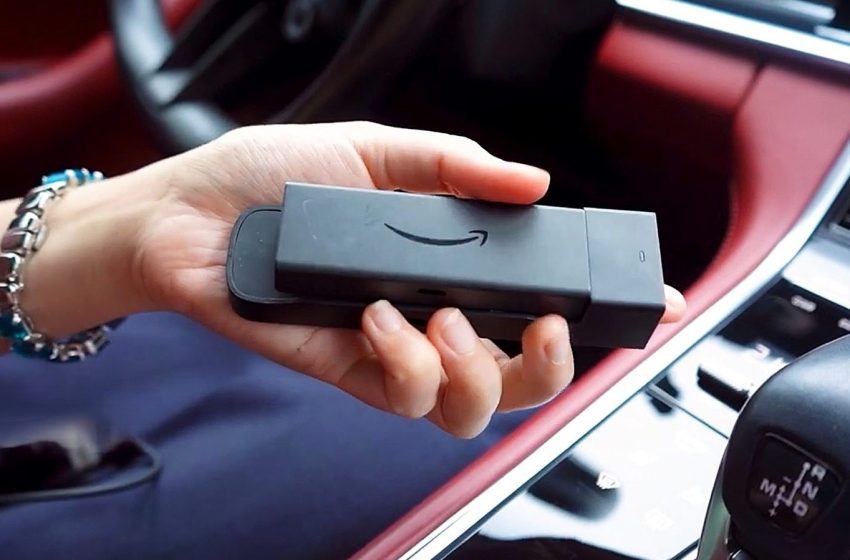
With infotainment displays getting bigger and more immersive every year — the 2026 Cadillac Escalade IQ has a 55-inch pillar-to-pillar total diagonal display that spans the entire front dashboard — it seems a bit silly not to be able to use them for streaming modern media. Now, not all vehicles have screens that big, especially late year models, but the point stands. Except, there’s a relatively easy-to-use $60 USB gadget that can convert your vehicle’s display into a smart Fire TV. It’s called the CarlinKit FireDrive Link Pro and it works with wired CarPlay systems in a variety of makes from Audi, Nissan, Volvo, Chevy, Ford, Porsche, Mazda, and more.
It comes with a unique power/data “Y” cable, which splits into three USB connections. That’s certainly one way to find out your car’s USB port can do a whole lot more than you might think, along with updating firmware, powering dash cams, and so on.
To make FireDrive work, you connect the longer end of the “Y” cable to your car’s power supply, the shorter end to a CarPlay port, and the third USB-C connection to the device. Then you plug a Fire TV Stick (sold separately) into the HDMI port on the FireDrive. You can also use it to convert a wired-only CarPlay system to wireless via Wi-Fi and Bluetooth. Boot it all up and you can start watching your favorite movies and shows right on your vehicle’s infotainment display. You can even download and play games — you’ll just need to use your phone’s hotspot or your car’s to connect the Fire TV to the internet. You can’t really use a Fire TV Stick without internet, unless you install a custom launcher, but even then you’ll need access to local media.
Does FireDrive work, and what are users saying about it?
The CarlinKit FireDrive Link Pro has over 70 reviews on Amazon, at the time of writing, with 4 out of 5 stars. Over half of those reviews are 5 stars and another 20% are 4 stars, so people seem to be quite positive about the experience. Of course, the best way to find out if it works is to look closer at some of the comments users have shared.
Some have said they “got it to work” after small issues, with a little difficulty setting it up or problems with navigation and volume during use. Another user mentions their “connection keeps dropping,” but it’s hard to tell if that’s due to their phone or Wi-Fi hotspot connection or the device itself — they don’t offer any additional information. A 2025 Camry owner says the setup was smooth and “works exactly as expected,” albeit they had to use a workaround to connect directly to the device’s IP address. Ultimately, it seems like it works well, though it might be a bit tougher to connect than initially advertised. Considering the price, and the option to use Fire TV anywhere you go, it might be worth the cost and hassle for most.
One question is whether or not it can be used with other HDMI devices. The store listing explicitly mentions Amazon Fire TV Sticks, not Roku devices or other Fire TV Stick alternatives. However, $60 plus the cost of a streaming device is a lot of money to throw down to test it out. You will need to get a Fire TV Stick if you don’t have a spare handy — the FireDrive doesn’t come with one.
First Appeared on
Source link






